jev-ultrafast: Browser Agent Setup + API Key Guide
jev-ultrafast is a browser agent that picks a click or type action with one Jev call. Set it up, then get a JevStation API key to verify steps yourself.
 JevStation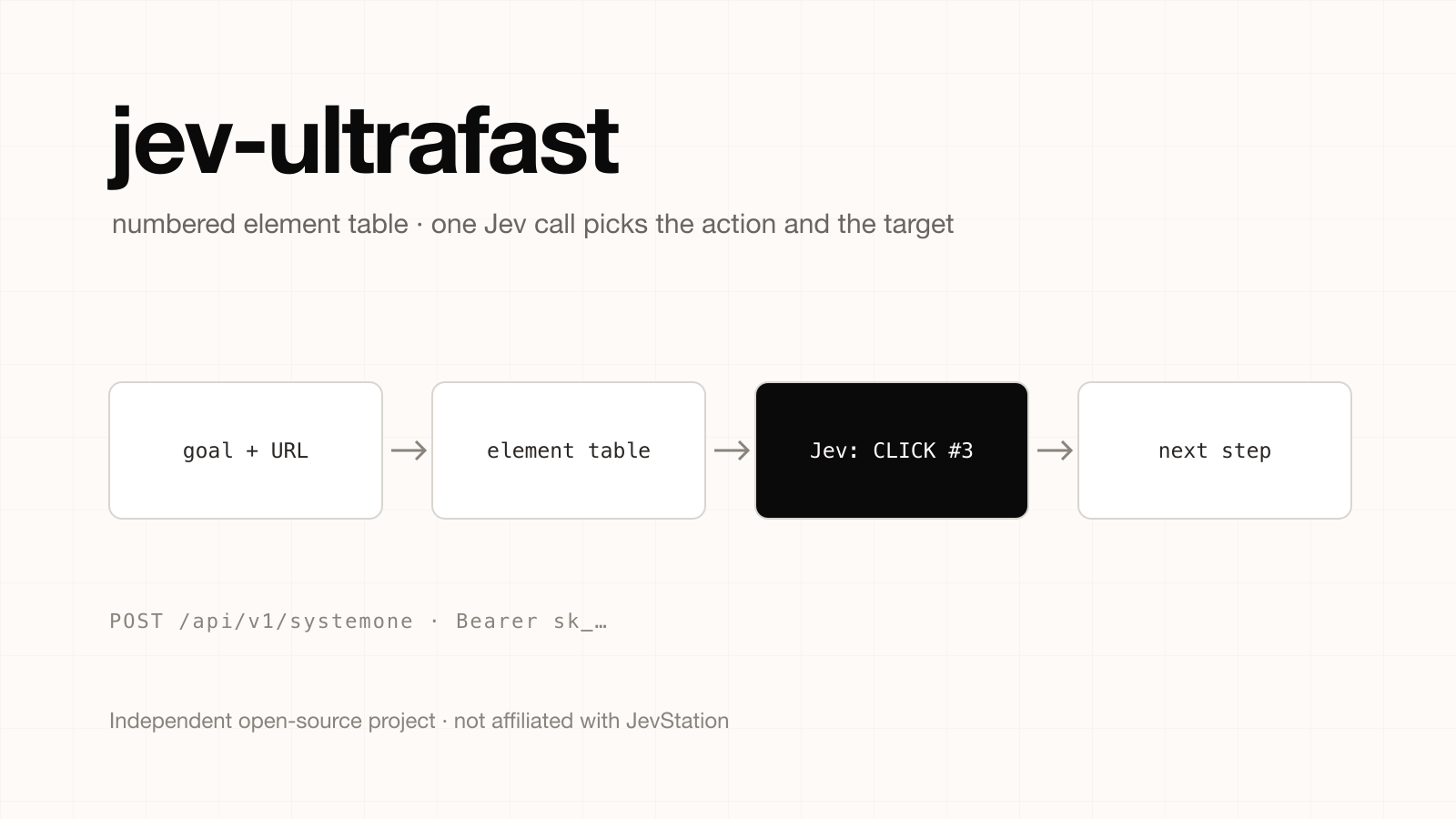
Independent project notice. JevStation is not affiliated with, endorsed by or sponsored by the authors of jev-ultrafast or by Browser Use. jev-ultrafast is a separate open-source project at github.com/browser-use/jev-ultrafast. We did not write it and do not maintain it. This page summarises its public README as of 1 October 2026; the README does not state a licence, so check the repository before reusing the code.
jev-ultrafast is a browser agent that chooses its next action with a single Jev call instead of a long LLM reasoning loop. You give it a URL and a goal, it reads a numbered table of the page's interactive elements, and Jev answers two typed questions at once: which operation, and which element. This guide explains how it works, how to run it, and how to use a JevStation API key to run the same kind of step decision, or to verify that the agent really finished.
How jev-ultrafast works
Most browser agents send a screenshot or a large DOM dump to an LLM and wait for it to think. jev-ultrafast changes the shape of the loop:
- Observe. The page is reduced to an indexed table of actionable elements. The default loop uses no screenshots.
- Decide. Jev picks one operation and one element index in the same request:
CLICK,TYPE_TEXT,SELECT,SCROLL_UP,SCROLL_DOWN,WAIT,DONEorBLOCKED. - Write text only when needed. A small LLM is called only for
TYPE_TEXT, to produce the characters to type. - Act and repeat.
The headline demo in the README is a Google Flights search from Zürich to London finished in 7.1 seconds. The README also reports a measured comparison over six alternating runs: median task time fell from 9.450 s to 7.092 s, and median browser protocol calls from 1,092 to 101. It is careful to call this three repeats of one task, not a general benchmark, and so should you.
Install and run jev-ultrafast
The project uses uv and drives Chrome through Browser Harness:
git clone https://github.com/browser-use/jev-ultrafast.git
cd jev-ultrafast
uv sync
cp .env.example .env
# add TYPESAFE_API_KEY and TEXT_MODEL_API_KEY
uv run jev
uv run jev opens an inspector at http://127.0.0.1:8766. Check the Chrome connection with uv run browser-harness --doctor.
To use it as a library:
from jev_ultrafast import Agent

with Agent(url, goal) as agent:
    for state in agent.run():
        print(state["elapsed_ms"], state["status"])
Run your script with uv run --env-file .env python your_script.py. The repository also ships examples such as examples/run.py --url ... --goal ... and examples/flights.py --keep-open.
The two keys in .env
TYPESAFE_API_KEYis the Jev key. jev-ultrafast calls TypeSafe's API directly and its README documents no endpoint override, so a JevStation key will not work in this field.TEXT_MODEL_API_KEYis an OpenRouter key in the example config, used for the text-writing helper (the demo usesinception/mercury-2.5with reasoning off). Gemini, GLM and DeepSeek also work through the OpenAI-compatible helper.
Limits to know before you rely on it
The README lists what is out of scope: shadow roots, frames, canvas, uploads and pop-up tabs. It also warns that when the agent returns DONE, the result still needs independent verification. That last point is where a JevStation key is genuinely useful.
Use a JevStation API key for step decisions and verification
You can reproduce the decision pattern with JevStation's POST /api/v1/systemone. Two uses stand out: a next-step decision for your own agent, and a post-run check that the goal was met.
1. Create your key
- Sign up and take the 200 free credits (no card needed).
- Go to /settings/apikeys, choose Create Key, name it
browser-agent, and copy it. - Export it so it never lands in source control:
export JEVSTATION_API_KEY="sk_..."
- Confirm it works for free:
curl https://jevstation.com/api/v1/systemone -H "Authorization: Bearer $JEVSTATION_API_KEY"returns your credits and rate limits.
2. Ask for the next action
Send the goal and an element table as state, then ask one Choice for the operation and one for the target. Keep the option list within 2 to 12 choices, which is the limit for a Choice question.
curl -X POST https://jevstation.com/api/v1/systemone \
  -H "Authorization: Bearer $JEVSTATION_API_KEY" \
  -H "Content-Type: application/json" \
  -d '{
    "state": {
      "goal": "Find the cheapest one-way flight from Zurich to London next Friday",
      "page": "flights search form",
      "elements": [
        {"i": 1, "role": "textbox", "name": "From", "value": "Zurich"},
        {"i": 2, "role": "textbox", "name": "To", "value": ""},
        {"i": 3, "role": "button", "name": "Search"},
        {"i": 4, "role": "link", "name": "Sign in"}
      ]
    },
    "questions": {
      "operation": {
        "type": "choice",
        "instructions": "Which single operation moves the goal forward?",
        "criteria": {
          "CLICK": "Click an element",
          "TYPE_TEXT": "Type into a text field",
          "SELECT": "Choose an option in a menu",
          "SCROLL_DOWN": "Scroll to reveal more elements",
          "WAIT": "Wait for the page to update",
          "DONE": "The goal is already complete",
          "BLOCKED": "The goal cannot be completed here"
        }
      },
      "target": {
        "type": "choice",
        "instructions": "Which element should the operation act on?",
        "criteria": {
          "1": "From field",
          "2": "To field",
          "3": "Search button",
          "4": "Sign in link"
        }
      }
    }
  }'
Read data.answers.operation.choice and data.answers.target.choice, and check confidence before acting. Because Jev returns probabilities, your agent can ask a person, or take a safer action such as WAIT, when the top option is weak. The README's own design has the same instinct: code owns the loop, thresholds and recovery, while the model makes one bounded choice.
3. Verify DONE independently
Since a DONE from the agent is not proof, add a separate check on the final page content:
import os, requests

def goal_met(goal: str, final_page_text: str) -> float:
    r = requests.post(
        "https://jevstation.com/api/v1/systemone",
        headers={"Authorization": f"Bearer {os.environ['JEVSTATION_API_KEY']}"},
        json={
            "state": {"goal": goal, "final_page": final_page_text[:6000]},
            "questions": {
                "goal_met": {
                    "type": "noul",
                    "instructions": "Does the final page show that the goal was completed?",
                }
            },
        },
        timeout=30,
    )
    r.raise_for_status()
    return r.json()["data"]["answers"]["goal_met"]["noul"]
Treat a value above your chosen threshold as a pass and route anything in the middle band to a human. This costs 1 credit per call while the state stays within 8,000 characters and you ask no more than five questions, and failed evaluations are refunded. The pattern is the same one described in Building a Harness with Jev, and the tool-call guard page shows a related allow, confirm or block question set you can try without signing up.
Which should you use?
| Goal | Choose |
|---|---|
| Run the demo agent as the authors built it | jev-ultrafast with a TypeSafe key |
| Add a Jev check to your own agent or test harness | JevStation API key and your own question set |
| Let Claude Code or Cursor call Jev as a tool | The Jev MCP server |
| Tune a question set before coding | The playground |
Get started
Create a free account, generate a key at /settings/apikeys, and read the API docs for the full request and error reference. If you outgrow the free credits, pricing is one-time packs with no subscription.
jev-ultrafast is independent of JevStation. Questions about its behaviour belong in its repository.