jev-router: Auto-Route Claude Code and Codex Models
jev-router picks a Haiku, Sonnet or Opus tier for each Claude Code turn with Jev. Install it, then use a JevStation API key or MCP tool to route prompts too.
 JevStation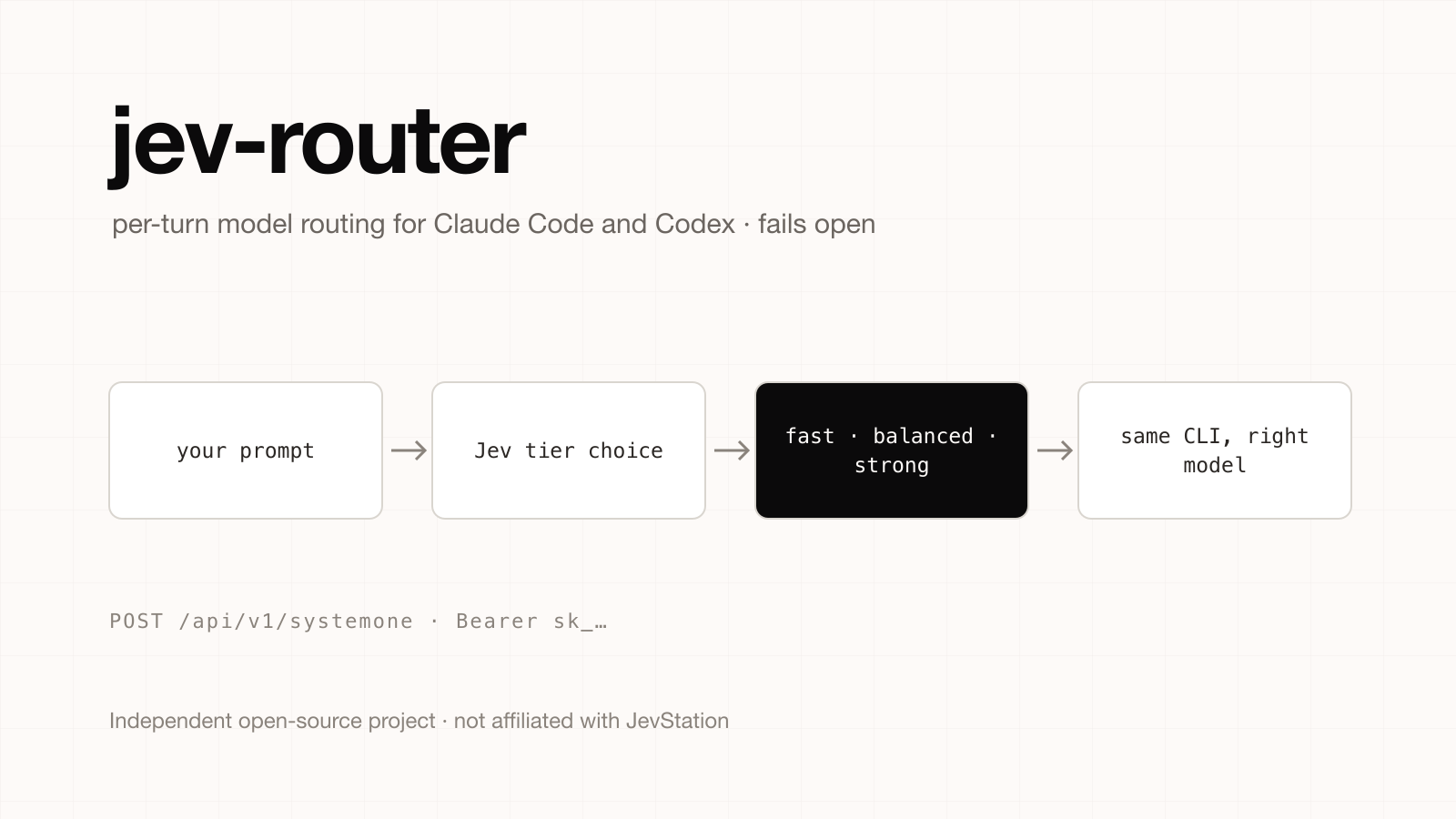
Independent project notice. JevStation is not affiliated with, endorsed by or sponsored by the author of jev-router, nor by Anthropic or OpenAI. jev-router is a separate open-source project (MIT licence) at github.com/gargpratyush/jev-router. We did not write it and do not maintain it. This guide summarises its public README as of 1 October 2026; check the repository for its current state.
jev-router chooses a model tier for every fresh user turn in Claude Code and OpenAI Codex, using Jev to decide. A quick question goes to a small model, a hard refactor goes to a strong one, and you keep your own tools, sessions and login. This guide covers how it works, how to install it, and how to make the same routing decision with a JevStation API key, either over HTTP or as a tool inside Claude Code.
How jev-router works
You launch the CLI through a wrapper, jev-claude or jev-codex. The wrapper starts a loopback proxy and the real upstream CLI. On each new user message, Jev classifies how demanding the turn is and the proxy swaps in the matching model. The README stresses what it does not do: the CLI keeps its own tools, sessions and authentication, and the proxy forwards your existing authorization headers without reading or storing them. No Anthropic or OpenAI API key is needed if the CLI is already logged in.
The four tiers from the README:
| Tier | Claude Code | Codex |
|---|---|---|
| Fast | Haiku | gpt-5.6-luna |
| Balanced | Sonnet | gpt-5.6-terra |
| Strong | Opus | gpt-5.6-sol |
| Long | Fable | gpt-6-astra |
The routing policy is conservative by design:
- Explicit requests win. If you type "use opus", that is what you get.
- Failure or timeout keeps the current model, so routing fails open.
- Low confidence never downgrades.
- The long tier is off unless you set
JEV_ALLOW_FABLE=1.
Only your prompt text is sent to TypeSafe for classification.
Install jev-router
You need Node.js 20.12 or newer and Claude Code, Codex, or both installed:
npm install -g jev-router
echo "JEV_API_KEY=..." > ~/.jev-router.env
Then launch from any repository. Every CLI argument is forwarded:
jev-claude                       # also: jev-claude --resume, jev-claude -p "fix the failing test"
jev-codex                        # also: jev-codex resume --last, jev-codex exec "fix the failing test"
Run /jev-explain in Claude Code (or $jev-explain in Codex) to see the factors behind the last routing decision. Decisions are kept in temp files for seven days. The README says it was tested on Claude Code v2.1.101 and Codex v0.154.0.
Settings worth knowing
| Variable | Effect |
|---|---|
JEV_API_KEY (or TYPESAFE_API_KEY) | The Jev key |
JEV_ALLOW_FABLE | Enable the long tier |
JEV_DEBUG, JEV_DUMP | Diagnostics |
JEV_NO_STATUSLINE | Hide the status line |
JEV_CODEX_FAST_MODEL and siblings | Override the Codex model for each tier |
Values resolve in this order: process environment, then .env, then ~/.jev-router.env, then the legacy ~/.jev-claude.env.
Which key does jev-router use?
JEV_API_KEY is a key from TypeSafe, as the README says. jev-router calls TypeSafe's API directly and documents no endpoint override, so a JevStation key will not authenticate inside jev-router. Use a TypeSafe key there. The rest of this guide shows what a JevStation key lets you do instead.
Route a prompt with a JevStation API key
JevStation ships the same idea as a ready-made question set: the Jev LLM router tool rates how demanding a prompt is, picks a small, medium or frontier tier, and says whether the answer needs code. You can call it from your own code.
1. Generate the key
- Sign up. You get 200 free credits, no card.
- Go to /settings/apikeys, press Create Key, name it
router, and copy it. - Keep it in an environment variable:
export JEVSTATION_API_KEY="sk_..."
- Verify it without spending credits:
curl https://jevstation.com/api/v1/systemone \
  -H "Authorization: Bearer $JEVSTATION_API_KEY"
2. Ask for a tier over HTTP
curl -X POST https://jevstation.com/api/v1/systemone \
  -H "Authorization: Bearer $JEVSTATION_API_KEY" \
  -H "Content-Type: application/json" \
  -d '{
    "state": "Write a Python function that parses a 2GB CSV of sensor readings in streaming mode, detects gaps longer than 5 minutes per device, and outputs a summary table. It must stay under 500MB of memory.",
    "questions": {
      "difficulty": {
        "type": "score",
        "instructions": "How demanding is this request for a language model?",
        "criteria": ["Trivial", "Easy", "Moderate", "Hard", "Expert"]
      },
      "route": {
        "type": "choice",
        "instructions": "Which model tier should handle this request?",
        "criteria": {
          "small": "A fast, cheap model is enough",
          "medium": "A mid-size general model",
          "frontier": "Needs the strongest reasoning or coding model"
        }
      },
      "needs_code": {
        "type": "noul",
        "instructions": "Does the answer require writing code?"
      }
    }
  }'
Read data.answers.route.choice and its confidence. Then apply the same safety rules jev-router uses, in your own code:
const TIERS = {
  small: 'claude-haiku-4-5-20251001',
  medium: 'claude-sonnet-5-5',
  frontier: 'claude-opus-5-5',
};

function pickModel(route, current) {
  // On low confidence or failure keep the current model: never downgrade blindly
  if (!route || route.confidence < 0.6) return current;
  return TIERS[route.choice] ?? current;
}
One call is a single request with three questions and a short prompt, so it costs 1 credit. If a call fails, the credit is refunded, and your router should fail open to the model you already had, as jev-router does.
3. Or use the MCP tool inside Claude Code
JevStation also exposes a jev_route_model tool through its MCP server. Add the server once:
claude mcp add --transport http jevstation https://jevstation.com/api/mcp \
  --header "Authorization: Bearer $JEVSTATION_API_KEY"
Claude Code can then call jev_route_model with a prompt and get back the tier probabilities, and jev_guard_tool_call to check a risky command before it runs. Note the difference from jev-router: an MCP tool advises Claude during a session, it does not swap the model underneath a turn. Setup details and troubleshooting are in Jev in Claude Code and the MCP server guide.
Should you route at all?
Routing pays off when most of your turns are easy. It costs you when the classifier sends a hard turn to a weak model, and no independent benchmark yet says how often that happens. The only public test of Jev on routing we know of used 40 prompts; see the benchmarks roundup for its limits. Two habits keep routing safe, and both are built into jev-router: never downgrade on low confidence, and let a human override with an explicit instruction. For where this decision sits in a larger agent, see Building a Harness with Jev.
Get started
Create a free account, generate a key at /settings/apikeys, and try the LLM router tool on your own prompts without signing up. The API docs list limits and error codes, and pricing shows one-time credit packs with no subscription.
jev-router is independent of JevStation. Direct questions about it to its repository.