semdecide: Semantic grep CLI for Shell and CI
semdecide turns a Jev answer into a grep-style exit code for shell scripts and CI. Install it, then get a JevStation API key and build the same check yourself.
 JevStation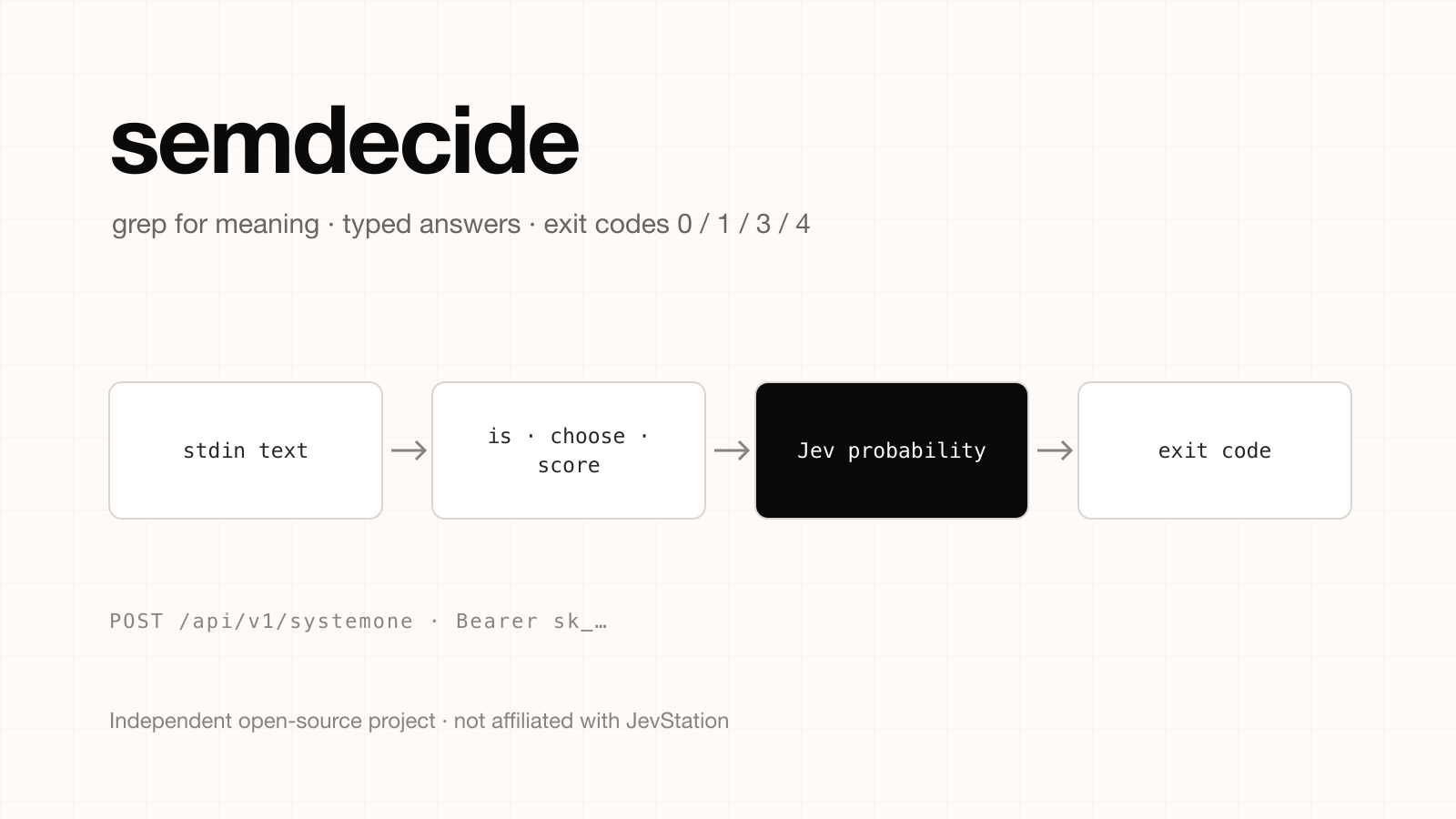
Independent project notice. JevStation is not affiliated with, endorsed by or sponsored by the author of semdecide. It is a separate open-source project (MIT licence) at github.com/sharziki/semdecide, and its own README says it is not an official TypeSafe product. We did not write it and do not maintain it. This guide summarises the README as of 1 October 2026; check the repository for its current state.
semdecide is a command-line tool that gives you typed semantic decisions from Jev, with stable JSON output and grep-like exit codes. Its tagline is "grep for meaning, jq for judgment". You pipe text in, ask a question, and your shell script branches on the exit code. This guide shows how to install it, what each command does, and how to build the same check against a JevStation API key in a few lines of shell.
What semdecide does
Unix pipelines are good at matching strings and bad at asking whether text means something. semdecide fills that gap with five commands:
| Command | Question it answers | Jev primitive |
|---|---|---|
is | Is this statement true of the input? | Noul |
choose | Which of these options fits the input? | Choice |
score | Where does the input fall on a scale? | Score |
filter | Which JSONL records match a predicate? | Noul per row |
guard | Should an action be allowed, escalated or blocked? | Noul + Score |
The runtime has no dependencies and needs Python 3.10 or newer. Input arrives on stdin, or through --text or --file.
Install semdecide
It is not on PyPI. Install the wheel from the release page:
pipx install https://github.com/sharziki/semdecide/releases/download/v0.2.1/semdecide-0.2.1-py3-none-any.whl
# or: uv tool install <same wheel URL>
# or from a clone: python3 -m venv .venv && .venv/bin/pip install -e .
export TYPESAFE_API_KEY='...'
semdecide also reads ~/.config/typesafe/credentials.env, which the README says should be mode 600.
About the API key
semdecide sends input text to TypeSafe and reads a TypeSafe key from TYPESAFE_API_KEY. The README documents no way to redirect it to another endpoint, so a JevStation key will not authenticate inside semdecide. Use a TypeSafe key there, and use a JevStation key for the script further down.
Using semdecide
A plain true-or-false check:
printf '%s' 'Login from a new country, followed by payout changes.' \
  | semdecide is 'This describes a plausible account takeover'
# TRUE probability=0.860 threshold=0.700
Route a ticket, with JSON output:
cat ticket.txt | semdecide choose 'Which queue should receive this ticket?' \
  --option support='ordinary product support' \
  --option security='possible security incident' \
  --option billing='billing or payment issue' --json
Score an answer, and filter a JSONL stream:
cat answer.txt | semdecide score --criterion 'How trustworthy is this answer?' \
  --level 'unsafe or misleading' \
  --level 'mostly correct but incomplete' \
  --level 'correct, grounded, and complete' --json

cat tickets.jsonl | semdecide filter '<predicate>' --field text
And gate a risky action:
semdecide guard --action 'Delete the production customer database' \
  --context 'No exact approval or backup exists' --json
Exit codes are the interface
This is what makes it scriptable:
| Code | Meaning |
|---|---|
| 0 | True, selected, scored, or a definite filter match |
| 1 | False, or no filter matches |
| 2 | Invalid local input or usage |
| 3 | Uncertain result |
| 4 | Provider, authentication, timeout or invalid-response failure |
guard uses its own set: 0 allow, 10 escalate, 20 block, 2 invalid input, and a provider failure fails closed to escalate. Useful flags include --threshold, --uncertainty-margin, --min-confidence, --timeout (default 10 s), --retries (default 2, max 5), --quiet and --json.
The uncertain code is the best idea in the tool. A classifier that can say "I am not sure" lets a pipeline send the middle band to a person instead of forcing a coin flip, which is the same reason Jev returns probabilities in the first place.
Build the same check with a JevStation API key
1. Create the key
- Sign up and receive 200 free credits, with no card.
- Open /settings/apikeys, press Create Key, name it
shell-checksand copy it. - Export it:
export JEVSTATION_API_KEY="sk_..."
- Check it for free. A
GETreturns your credit balance and rate limits:
curl https://jevstation.com/api/v1/systemone \
  -H "Authorization: Bearer $JEVSTATION_API_KEY"
2. A semdecide-style is in plain bash
This script needs only curl, jq and awk. It reads the text from stdin, asks one Noul question and returns semdecide-compatible exit codes (0 true, 1 false, 3 uncertain, 4 failure):
#!/usr/bin/env bash
# usage: printf '%s' "text" | ./is.sh "This describes a plausible account takeover" [threshold]
set -u
statement="$1"; threshold="${2:-0.7}"; margin=0.1

body=$(jq -n --rawfile text /dev/stdin --arg q "$statement" \
  '{state: $text, questions: {check: {type: "noul", instructions: $q}}}')

resp=$(curl -sf https://jevstation.com/api/v1/systemone \
  -H "Authorization: Bearer ${JEVSTATION_API_KEY:?set JEVSTATION_API_KEY}" \
  -H "Content-Type: application/json" \
  -d "$body") || exit 4

p=$(jq -r '.data.answers.check.noul' <<<"$resp")
echo "probability=$p threshold=$threshold"

awk -v p="$p" -v t="$threshold" -v m="$margin" \
  'BEGIN { if (p >= t + m) exit 0; if (p <= t - m) exit 1; exit 3 }'
Use it like grep in a pipeline:
if printf '%s' "$COMMIT_MSG" | ./is.sh "This commit message mentions a customer secret"; then
  echo "blocking push"; exit 1
fi
curl -f turns a 401, 402, 429 or 5xx into a non-zero exit, which the script maps to 4. A failed evaluation on JevStation's side is refunded, so a flaky call does not cost you credits.
3. Choose and score
The same body shape covers the other commands. A choose is a Choice question with a criteria map of two to twelve options, and a score is a Score question with an ordered criteria array:
curl -s https://jevstation.com/api/v1/systemone \
  -H "Authorization: Bearer $JEVSTATION_API_KEY" \
  -H "Content-Type: application/json" \
  -d '{
    "state": "Login from a new country, followed by payout changes.",
    "questions": {
      "queue": {
        "type": "choice",
        "instructions": "Which queue should receive this ticket?",
        "criteria": {
          "support": "Ordinary product support",
          "security": "Possible security incident",
          "billing": "Billing or payment issue"
        }
      },
      "risk": {
        "type": "score",
        "instructions": "How risky does this look?",
        "criteria": ["Harmless", "Low", "Moderate", "High", "Critical"]
      }
    }
  }' | jq '.data.answers'
Both questions ride in one request, which costs 1 credit while the state is 8,000 characters or fewer and you ask five questions or fewer. Asking several questions per call is cheaper than one call per question, and what a Jev evaluation costs explains the rule.
Good fits, and cautions
Shell-level semantic checks suit commit and log screening, ticket routing, content triage and gating destructive commands. You can try the same questions without an account in the support ticket triage, content moderation and prompt injection detector tools, then copy the question set into a script.
Keep two cautions in mind. Counting, arithmetic and date comparisons belong in code, not in a question. And treat a model decision as one layer, not a security boundary: both TypeSafe's own notes and independent tests, collected in the benchmarks roundup, show that Jev has weak spots. Set thresholds on your own labelled examples.
Next steps
Create your free account, make a key at /settings/apikeys, and try your question in the playground. The API docs cover limits and error codes, and pricing lists one-time credit packs with no subscription.
semdecide is independent of JevStation. Report issues at its repository.